Requests outrank the mix
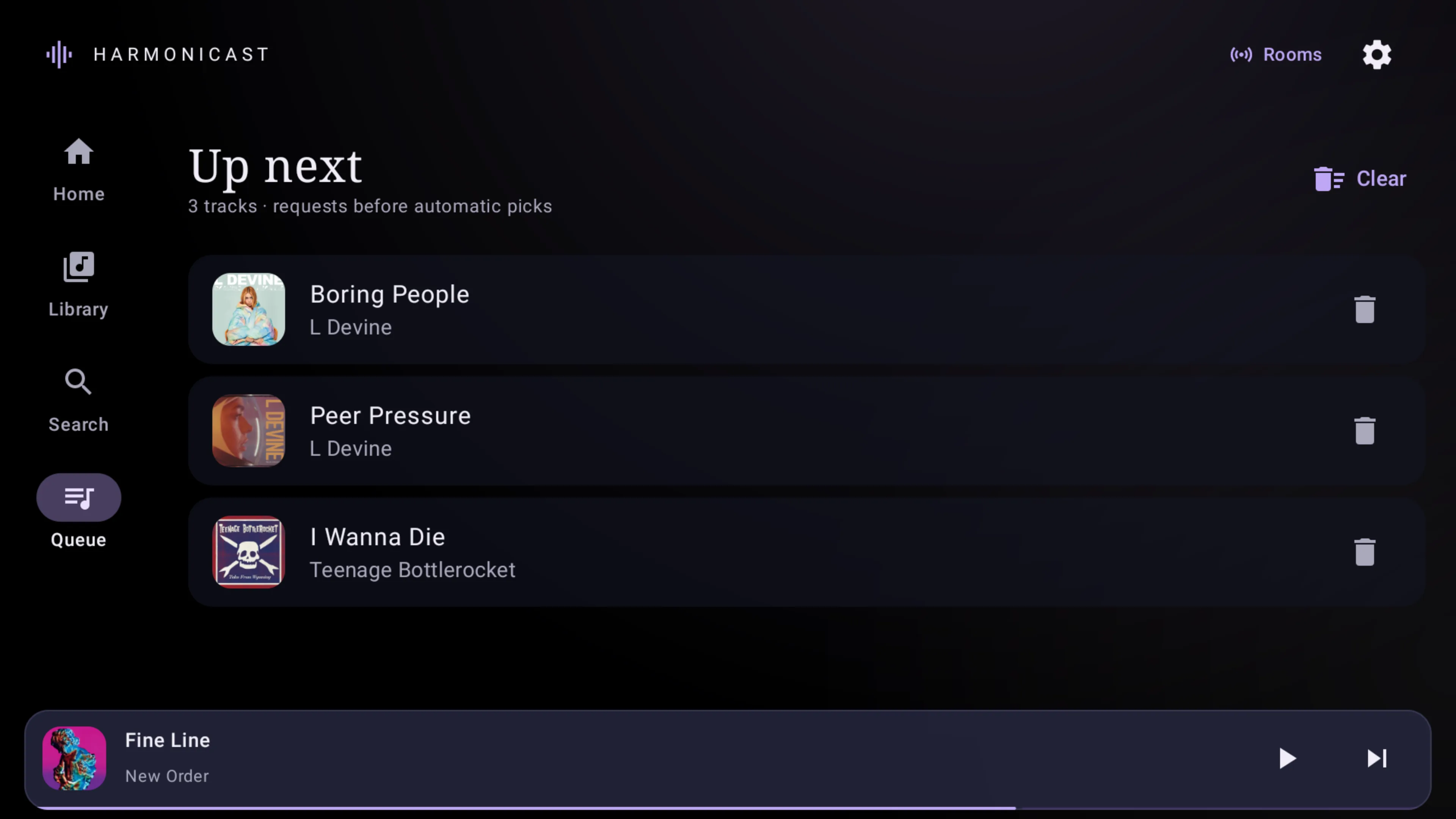
Pick a track yourself and it plays ahead of anything automatic. Explicit requests, Track Radio, and Previous stay available even when the mix has nothing left to offer.
Queue stays in your control
 Harmonicast
Android · Plex Music · Free and open source
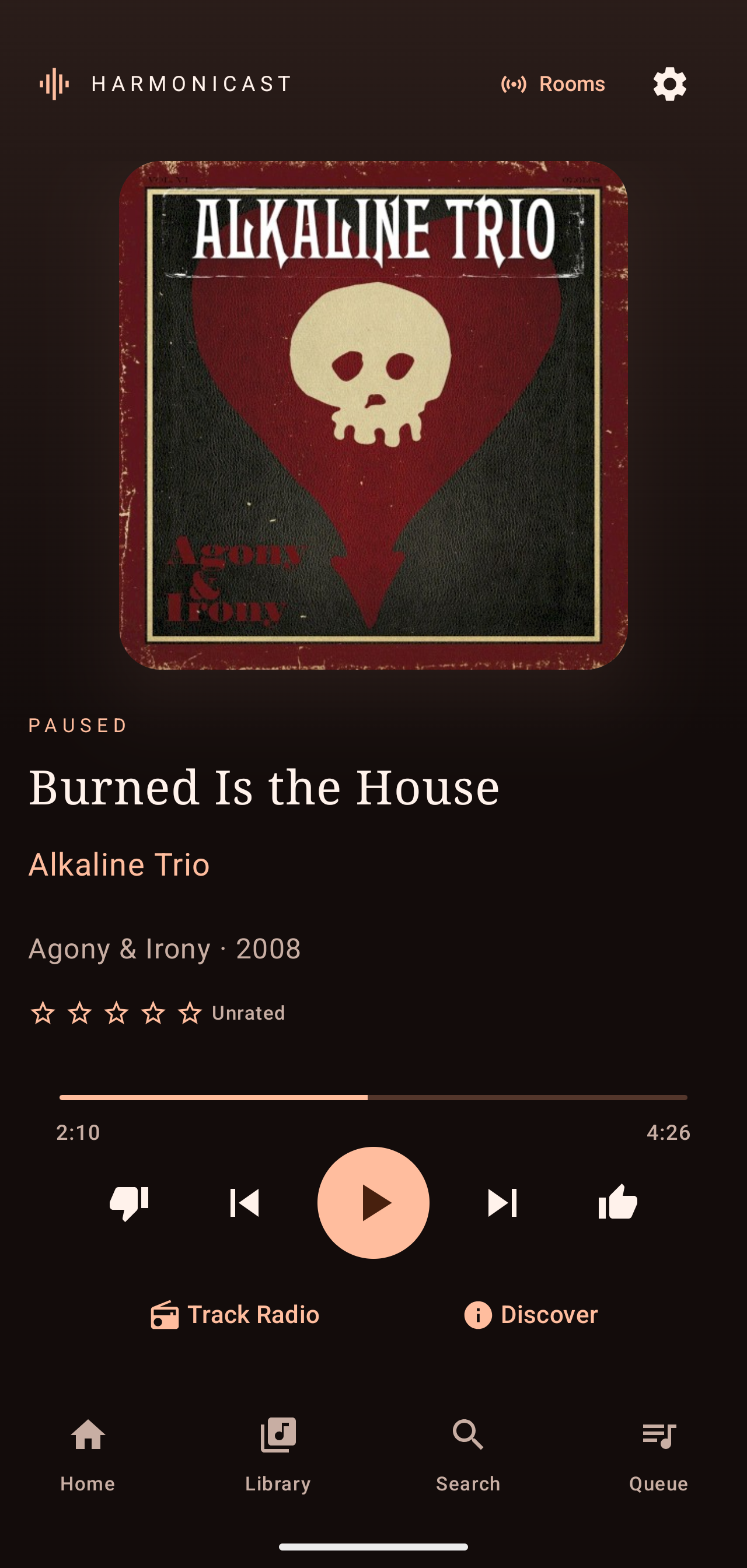
Play your own music on your phone, tablet, TV, or in the car. When company shows up, they join from a browser, request what they want, and vote on what plays next. No guest app to install.
Try the join flow
Everything below is a walkthrough of the real browser flow. Anyone on the same Wi-Fi opens a short local address, types the room code, and starts requesting. Voting and host control work the same way.
Guest · web browser
Host · Android TV or phone
The host is playing. Join from the left, then request a track to watch it land here.
Guest pages are demonstration screens, not a live room. Hosting a real room needs owner access to the Plex library and the same local network as your guests.
When it is just you
Requests come first. When the queue runs dry, the automatic mix keeps going without replaying what you just heard.
Pick a track yourself and it plays ahead of anything automatic. Explicit requests, Track Radio, and Previous stay available even when the mix has nothing left to offer.
Queue stays in your control
Choose how much of the mix comes from tracks you rated highly versus tracks you have not rated yet, and how strongly higher ratings pull the next batch.
Rated/unrated balance and selection strength
Skip avoidance defaults to one week and reaches thirty days. It uses the newer of your Plex last-played time and local play and skip history, including tracks skipped after they were already queued.
Off · 1 day · 3 days · 1 week · 2 weeks · 30 days
Three appearances
The app ships with three colour schemes and keeps your choice on each device. These are the app’s own values, so what you select here is what the app looks like.
This page is using the palette you select, so the whole site is the preview. The app stores the same choice on each device.
Same library, different rooms
One Plex connection covers the phone in your pocket, the tablet on the counter, the TV in the front room, and the car.
Albums, singles, EPs, artists, biographies, live search, and a mini-player that stays put while you browse.
Paged playlists and artwork shelves
Couch-readable shelves and a compact navigation rail. Focus is always visible, so you never lose your place with a remote.
Remote and voice input
Browse the library, play, and rate tracks from the dashboard. Thumbs up and down sit under More on some head units.
Playback authority stays with the projection
Before you download
Harmonicast is a player, not a music service. It reads a library you already have, so it is worth checking that yours matches before you install.
Ready when you are
Free and open source · Signed APK from GitHub releases
Download the signed APK from the latest GitHub release and allow installation from your browser if Android asks.
Sign in with Plex, then choose your server and Music library. On a TV, setup shows a QR code so you can sign in from your phone.
Start with a favorite or let the automatic mix pick. Open Rooms when you have company and want everyone choosing.
Installing over an existing signed build keeps your personal settings and data. Room control, Track Radio, and automatic ratings each depend on your server and Plex permissions; the app will tell you when something is unavailable.